AI agents draft posts. You stay in control.

Self-hosted publishing to 5 networks. Agents draft through MCP; publishing, deleting and disconnecting wait for your approval.
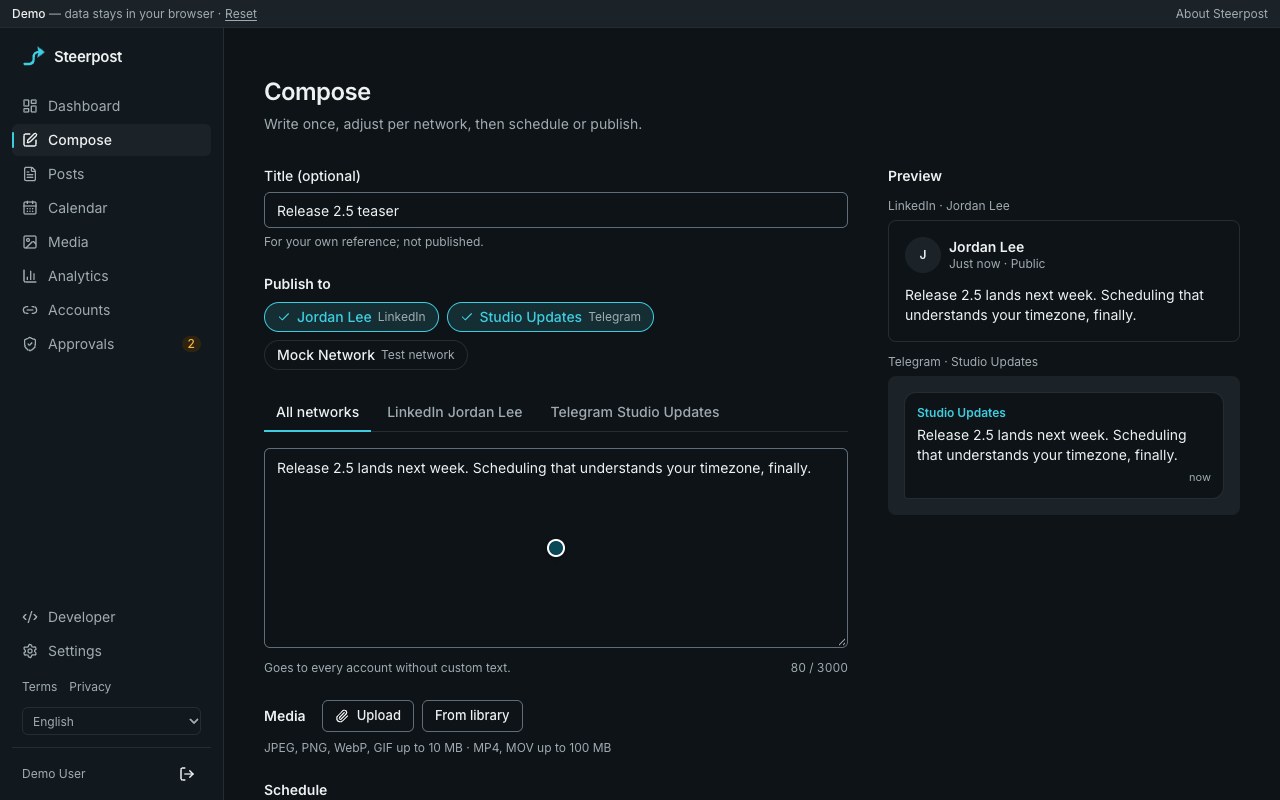
The Steerpost composer with a post written for LinkedIn and Telegram.
Recorded in the live demo.

Publishes today to

What each network supports
  • LinkedIn
  • Telegram
  • Discord
  • Mastodon
  • Bluesky

Draft, approve, publish

  1. Your agent drafts

    Create an MCP connection and paste its config into your agent. By default, it can only read and draft.

    The MCP connections page with a permission picker and a ready-to-paste client config.
  2. You approve the risky part

    Publishing now, deleting and disconnecting wait in Approvals until you say yes. Each approval works once.

    The Approvals page listing a request from an MCP agent to publish a post now, with Deny and Approve buttons.
  3. Steerpost posts it once

    Posts go out on time. If Steerpost cannot tell whether one went out, it marks it for you to check.

    The calendar in month view with draft, scheduled, published and failed posts.

Or do it yourself

The composer with account chips, custom text per account and live previews.
Compose. One post, custom text per network, live previews.
The Steerpost dashboard: connected accounts, scheduled and published counts, upcoming posts, drafts, recent posts and failures.
Dashboard. What goes out next, and what failed.
The accounts page with connected networks and the others marked as not available.
Accounts. What each network supports, and what it does not.
MCP tools
14
Live networks
5
Retries, then a clear error
5
Trackers
0

Agents work within limits you set

  • Scoped keys. An agent sees only the tools its key allows.
  • Approvals. Publish now, delete and disconnect wait for your yes, unless you mark the key as trusted.
  • Revocable. Revoke a connection, and its key stops working at once.
  • Audited. Every agent action is in the audit log.

Create a connection under Developer, then paste its config:

{
  "mcpServers": {
    "steerpost": {
      "type": "http",
      "url": "http://localhost:3333/mcp",
      "headers": { "Authorization": "Bearer sk_live_..." }
    }
  }
}

Then ask: “Draft a post about our new release for LinkedIn and Telegram.”

All 14 tools, each tied to one scope
ToolScopeRisk
list_social_accounts, get_social_accountsocial:readsafe
list_posts, get_post, get_post_statusposts:readsafe
get_analytics, get_usageanalytics:readsafe
create_draft, update_postposts:writesafe / low
cancel_scheduled_postposts:writemedium
schedule_postposts:schedulemedium
publish_postposts:publishsensitive, needs the owner's approval
delete_postposts:deletesensitive, needs the owner's approval
disconnect_accountsocial:disconnectcritical, needs the owner's approval

Setup for Claude Desktop, Claude Code and Cursor: MCP docs.

Built so a post goes out once

No double posts

If a crash hides the result, the post is marked unconfirmed instead of sent again.

Safe retries only

Network errors and rate limits retry up to 5 times. Other errors fail with the reason.

Secrets stay secret

Network tokens are encrypted with AES-256-GCM and never logged.

No lost schedules

The database is the source of truth, so a Redis restart loses no scheduled post.

Where it publishes, and where it does not

Live

  • LinkedInPersonal profile. Text, up to 20 images, delete. No video yet.
  • TelegramChannels and groups. Text, images, video, delete.
  • DiscordA channel webhook. Text, up to 10 images, delete.
  • MastodonAny compatible server. Text, images, delete.
  • BlueskyApp password. Text, up to 4 images, delete.

Not available yet

Planned
Slack, Misskey, Dev.to, WordPress, Ghost, VK, Tumblr, Threads, Instagram, Facebook Pages, Nostr.
Need app review or a paid API
X, LinkedIn company pages, YouTube, TikTok, Reddit, Pinterest, Hashnode, Max.
No official API
Medium, WhatsApp Channels.

Setup and reasons per network

Run it yourself

One command starts the whole stack. Turn on the test network to try it without credentials.

Setup guide

make up        # generates .env, then docker compose up
open http://localhost:3000

See it work first

The demo runs in your browser, with sample posts, accounts and agents.